

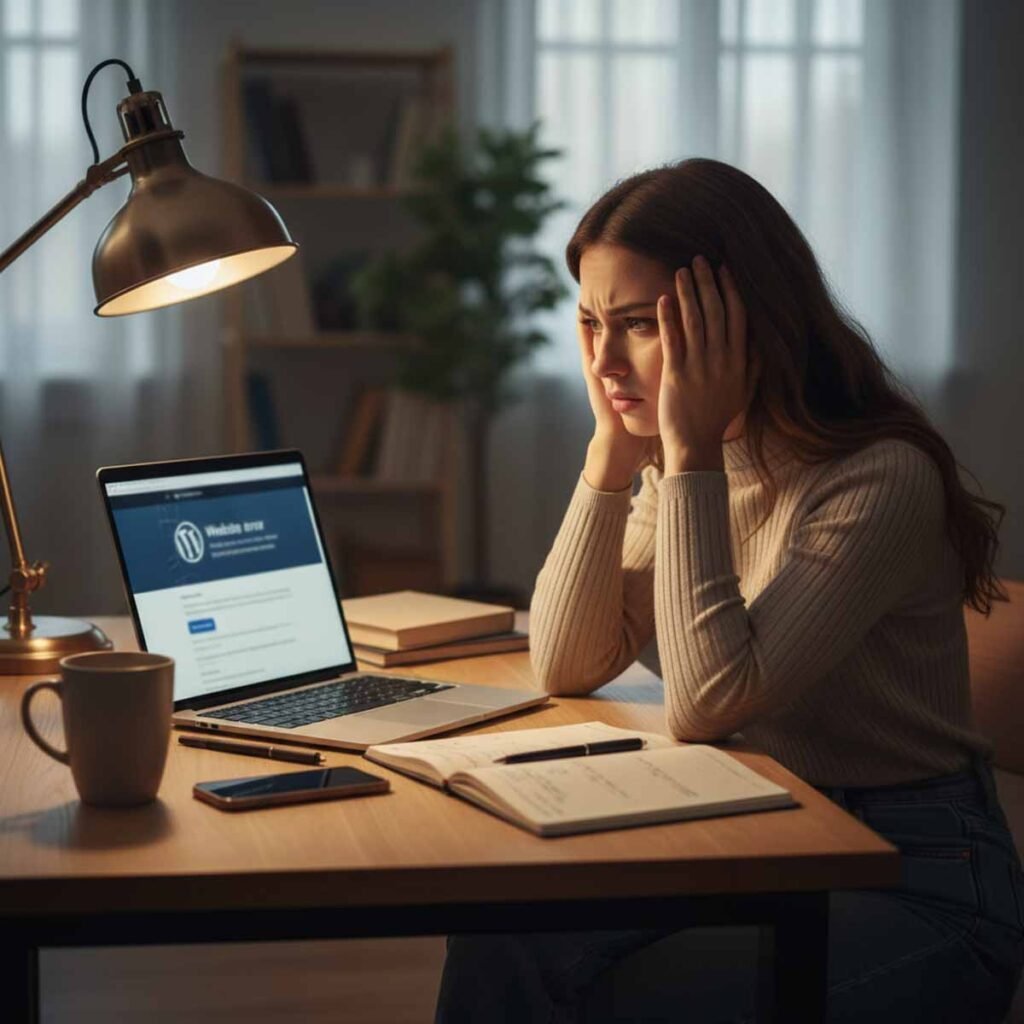
The Day Sarah’s Profitable Store Suddenly Went Offline
Original plugins were the last thing on Sarah’s mind.
Her eCommerce website was growing fast, sales were steady, and customers loved the smooth shopping experience she had built. For months, everything worked perfectly. Orders came in daily. Her site was live, fast, and making consistent profit.
But one fine morning… everything changed.
Sarah opened her laptop expecting to see her usual overnight sales.
Instead, she was greeted with something she had never seen before:
“Critical Error: This Website Is Currently Unavailable.”
Her store — the store that paid her bills, the store she built from scratch, the store that was finally becoming successful — was completely down.
No visitors.
No orders.
No access to the admin panel.
Nothing.
Just a blank screen and a silent panic growing in her chest.
What made it worse?
Nothing had warned her.
No email from hosting.
No update notification.
No issues the day before.
Her profitable website went from fully functional to completely broken overnight — without a single clue.
Sarah had no idea what happened.
But she would soon learn that the cause was something small…
something she thought was harmless…
something thousands of website owners do without thinking:
👉 Installing one non-original plugin she downloaded two weeks earlier.
But she didn’t know that yet.
And this is where her nightmare began.
The “Small Decision” Sarah Made the Day Before Everything Broke
The day before her website crashed, everything was normal.
Orders came in.
Customers checked out smoothly.
Her eCommerce store was performing better than ever.
But Sarah had one tiny problem:
She wanted a feature her current website didn’t have — a “Buy Two, Get One Free” auto-discount plugin for a weekend sale.
She found a tutorial on YouTube.
The video showed a plugin that could do exactly what she wanted.
She clicked the link in the description…
…and that’s where the mistake began.
The plugin wasn’t from the official WordPress repository.
It wasn’t from a verified developer.
It wasn’t an original copy.
It was a “free version” hosted on a random file-sharing site.
Sarah didn’t think much of it.
Why would she?
She wasn’t technical.
She didn’t know the difference between original plugins and modified ones.
She just wanted the discount feature to work.
It installed perfectly.
It activated without errors.
The feature appeared.
The sale ran smoothly.
Nothing looked suspicious.
Nothing broke immediately.
Nothing warned her that this single decision would bring down her entire business within hours.
To Sarah, it was just another plugin.
To her website… it was a ticking time bomb.
What she didn’t realise was this:
The plugin wasn’t “free.”
It was a non-original, modified version, silently injecting corrupted code into her website — code that would activate later and collapse everything.
But Sarah slept peacefully that night.
The real damage was waiting for tomorrow.
The Silent Warnings Sarah Never Noticed
The most dangerous part about non-original plugins is this:
**They don’t break your website immediately.
They break it slowly… quietly… invisibly.**
And that’s exactly what happened to Sarah.
After installing the plugin, everything seemed perfect:
- Her sale ran smoothly
- Customers checked out
- Her dashboard looked normal
- No errors popped up
- Nothing looked suspicious
But behind the scenes, small issues began appearing — warnings she never recognised.
✔️ 1. Her Website Became a Little Slower
Not enough to worry her.
Just enough that pages took an extra second to load.
She assumed it was her hosting.
It wasn’t.
✔️ 2. A Few Customers Mentioned Checkout Felt “Laggy”
Not enough complaints to sound serious.
Just enough to hint that something was wrong.
Sarah thought it was temporary.
It wasn’t.
✔️ 3. Her Security Plugin Showed a Mild Alert
Just one yellow notification:
“Suspicious file modifications detected.”
But she ignored it.
She had no idea a corrupted plugin was rewriting website files — the exact files that original plugins protect.
✔️ 4. Her Admin Panel Logged Her Out Once
A small glitch.
Happens to everyone.
She logged back in and continued her day.
She didn’t know this was the first sign of code conflicts.
✔️ 5. The Plugin Wanted One More “Required Update”
Sarah thought:
“Okay… maybe this is normal.”
But that update wasn’t “normal” —
it was the update that injected the final line of corrupted code that would kill her website overnight.
⭐ The truth?
Sarah had no chance.
No non-technical person would recognise these warnings.
Most business owners would make the same decision Sarah did.
Because the problem wasn’t Sarah.
The problem was the plugin.
Or more specifically:
👉 the fact that it wasn’t an original plugin.
The damage was already done.
The crash was already scheduled.
Sarah just didn’t know it yet.
The Moment Everything Collapsed Overnight
That night, while Sarah was asleep, the corrupted plugin finally did what it was designed to do.
At exactly 2:14 AM, her hosting activity logs showed unusual behaviour:
- files rewriting themselves
- database entries being changed
- system resources spiking
- critical website functions failing one by one
Sarah didn’t see any of this.
No one would.
It all happened quietly — line by line — as the non-original plugin executed its hidden code.
By 3:02 AM, her eCommerce store was still technically “alive”…
But half-broken internally.
By 3:47 AM, the checkout system failed.
By 4:11 AM, the homepage began returning partial errors.
And at 4:39 AM, the destruction was complete:
**Her entire website shut down.
Instantly.
Completely.
Without warning.**
Imagine sleeping peacefully while your primary income source silently collapses.
That’s what happened to Sarah.
When she woke up at 7 AM and opened her laptop, the only thing she saw was:
“Critical Error: Website Cannot Be Reached.”
Her store wasn’t loading.
Her admin panel was unreachable.
Her customers were receiving blank pages.
Her order emails stopped.
Her traffic dropped to zero.
Her ads kept running — sending people to a dead site.
All because of one plugin —
a plugin she downloaded from a source that wasn’t safe, wasn’t verified, and wasn’t an original plugin.
She didn’t even remember installing it.
But now… it had taken down her entire business.
And Sarah had no idea how to fix it.
She didn’t even know where to start.
The worst part?
She still didn’t know that plugin was the cause.
That discovery was coming next — and it made her stomach drop.
The Developer’s Discovery That Left Sarah Speechless
Sarah spent the entire morning trying to fix her website, but nothing worked.
- Clearing cache didn’t help
- Restarting hosting didn’t help
- Disabling themes didn’t help
- Even her hosting provider couldn’t restore the site
By noon, she panicked and reached out to a freelance developer she had hired once before.
He logged in through the server backend and started checking the files one by one.
Within minutes, he went silent.
Then he said the words Sarah never expected:
“Did you install a plugin from somewhere outside the WordPress repository?”
Sarah froze.
She remembered the “free download” link from the YouTube video…
the plugin that looked harmless…
the little zip file she uploaded without thinking twice.
“Yes… I did,” she admitted quietly.
The developer sighed.
“Sarah, that wasn’t an original plugin. It’s a modified version — and it injected corrupted code into your system.”
Sarah felt sick.
He explained that non-original plugins often contain:
- hidden malware
- corrupted scripts
- outdated functions
- injected ads
- tracking code
- backdoors
- file-modifying triggers
The plugin she installed had rewritten core website files, disabled key functions, and collapsed the entire website in the early morning.
Then he said something worse:
**“I can’t repair this. The damage is deep.
We need to rebuild the whole website from scratch.”**
Sarah couldn’t believe what she was hearing.
One small plugin she thought would “save money”…
One simple click…
One download from the wrong place…
Destroyed months of work — and her income stream overnight.
And all because she didn’t use original plugins from safe, verified sources.
Her nightmare wasn’t over.
In fact, the consequences were just beginning.
The Hidden Damage Sarah Never Expected
Losing her website felt bad enough…
But the real pain began after the crash.
What Sarah thought was “just a plugin problem” quickly turned into something much bigger — a full-scale business disaster.
Here’s what she faced over the next 48 hours:
✔️ 1. Lost Sales — Every Hour Was Money Gone
Her ads were still running.
Customers were still clicking.
But they were landing on a dead page.
Orders dropped from 15 per day to zero.
Her weekend campaign completely collapsed.
Her daily profit vanished overnight.
Sarah didn’t lose one sale —
she lost dozens.
✔️ 2. Customers Lost Trust Instantly
Visitors messaged her on Instagram:
- “Your website is not working.”
- “Is your store shut down?”
- “Is this legit?”
Some customers even assumed she was a scam.
In eCommerce, trust is everything —
and a broken website destroys it in minutes.
✔️ 3. Google Penalised Her Website
Because her site stayed offline for hours, Google:
- dropped her rankings
- removed her from some search results
- flagged pages as “unreachable”
Months of SEO progress…
Gone in one morning.
Why?
Because Google hates unstable websites — and non-original plugins make websites unstable.
✔️ 4. She Had to Pay the Developer to Clean the Mess
The developer quoted:
- £250 for deep analysis
- £500–£800 to rebuild core files
- £1,000+ if a full site rebuild was needed
All because she didn’t use original plugins in the first place.
A £30 original plugin would have saved her thousands.
✔️ 5. Her Business Stalled Completely
No website = no sales.
No sales = no cash flow.
No cash flow = stress, panic, pressure.
Sarah spent two days answering apology messages…
instead of fulfilling orders.
Her business didn’t just break.
It stopped moving.
⭐ The emotional impact was the worst part.
Sarah felt embarrassed.
Defeated.
Overwhelmed.
Angry with herself.
All because of a “free” plugin she thought would save money.
That tiny decision cost her:
- money
- customers
- time
- trust
- rankings
- peace of mind
And she learned the hardest way possible:
👉 Installing non-original plugins is never “free.”
👉 They’re the costliest mistake a website owner can make.
Sarah needed a solution — not a temporary fix.
And she needed it fast.
The Turning Point: How Sarah Finally Took Back Control
After two exhausting days, countless messages, lost revenue, and a website that refused to revive, Sarah realised something:
**Her website didn’t fail because she was unlucky.
It failed because she wasn’t protected.**
She finally accepted the truth:
Using non-original plugins had destroyed her website, her SEO, her customer trust, and her confidence in the business she worked so hard to build.
That’s when she made a decision that changed everything.
Sarah told her developer:
“Let’s rebuild it — but this time, we do it right.”
No shortcuts.
No random downloads.
No “free versions” from unknown sites.
No guessing.
No risky experiments.
They wiped her website clean.
They rebuilt every page from scratch.
They reinstalled every tool — properly, safely, and from verified sources only.
And for the first time in months…
Sarah felt in control again.
✔️ The First Rule She Learned: Always Use Original Plugins
Her developer explained:
- Original plugins are updated regularly
- Original plugins are built by trusted developers
- Original plugins are tested on thousands of websites
- Original plugins don’t contain hidden malware
- Original plugins never modify core WordPress files
- Original plugins come with support, documentation & security patches
When she heard this, she realised how much danger she was in before.
All because of one decision:
Not using original plugins from safe, official sources.
✔️ The Next Morning: Sarah’s Website Was Back Online
Faster.
Cleaner.
More secure.
With genuine functionality — nothing risky, nothing unstable.
For the first time since the crash, she saw something she had been waiting for:
A new order.
Her store was alive again.
And this time… built the right way.
Sarah’s nightmare finally ended —
but the lesson she learned will never leave her.
Now it’s your turn to learn the same lesson before it’s too late.
Why Original Plugins Matter More Than Most People Realise
Once Sarah rebuilt her website the right way, she finally understood something most website owners overlook:
**Plugins aren’t “just tools.”
They are the foundation of your website’s safety, speed, stability, and income.**
And the difference between original plugins and “free copies” is the difference between a stable business and one that can collapse overnight.
Here’s what Sarah learned — the hard way:
✔️ 1. Original Plugins Receive Real Security Updates
Official developers fix vulnerabilities fast.
They protect your files.
They patch bugs.
Non-original plugins?
They often contain hidden malware or outdated code — which is exactly how Sarah’s website got destroyed.
Every update is checked for:
- compatibility
- stability
- performance
- security
This is why original plugins rarely break websites — and non-original ones break them often.
✔️ 3. Original Plugins Don’t Modify Core Website Files
The plugin Sarah used was modified by unknown people.
It injected corrupted code into sensitive website files.
Original plugins never do this.
They follow WordPress standards and respect your website’s structure.
✔️ 4. Original Plugins Come With Support & Documentation
When Sarah’s site crashed, she had no support.
No updates.
No help.
Original plugins come with:
- real developers
- real support
- real changelogs
- real documentation
- real accountability
This alone can save a business.
✔️ 5. Original Plugins Keep Your Website Fast & Stable
Sarah’s site got slow before it collapsed.
Non-original plugins often contain:
- extra scripts
- tracking
- injected ads
- bloated code
Original plugins keep your website clean and optimized.
✔️ 6. Original Plugins Protect Your SEO & Ranking
Google rewards stable, fast websites.
When Sarah’s site crashed, she lost ranking instantly.
Original plugins prevent:
- downtime
- code conflicts
- broken pages
- critical errors
Your SEO depends on plugin quality more than you think.
⭐ The Bottom Line:
Plugins control everything behind your website.
If the foundation is fake, damaged, or unverified…
your entire website is at risk.
Sarah learned that original plugins aren’t a luxury —
they’re mandatory for survival in 2025.
And her story is not rare.
It’s happening quietly to thousands of website owners who think a “free plugin” is harmless.
The Warning Every Website Owner Needs to Hear
When Sarah shared her story with a group of business owners, almost everyone reacted the same way:
“I’ve installed plugins from random sites before…
I didn’t think it was a big deal.”
And that’s exactly the problem.
Most people don’t realise how risky non-original plugins truly are because:
- They work at first
- They look harmless
- They activate without errors
- They feel like a “smart way to save money”
But Sarah learned the truth in the hardest way possible:
**The danger isn’t the plugin you install today.
It’s what that plugin will do to your website tomorrow.**
A non-original plugin doesn’t need to break your site instantly.
It can sit quietly for days… weeks… even months…
Until one update.
One trigger.
One conflict.
And then your entire website collapses without warning.
Just like Sarah’s did.
✔️ If your website makes money, you cannot take risks
Your website isn’t just “a website.”
It’s:
- your store
- your brand
- your customer experience
- your income source
- your daily sales channel
- your trust builder
A single mistake can bring all of this crashing down.
Sarah thought she was saving £20…
but she ended up losing:
- two full days of business
- her SEO rankings
- her weekend campaign
- her customer trust
- her peace of mind
- hundreds in developer fees
- and far more in lost profit
All because she didn’t use original plugins.
⭐ If your website matters, this story matters to you.
Shortcuts kill websites.
Cheap plugins destroy stability.
Fake downloads ruin SEO.
Non-original code corrupts everything.
And most importantly:
Your website can’t protect you if you don’t protect it first.
Sarah didn’t know this.
But you do — now.
So the question isn’t:
“Should I use original plugins?”
The real question is:
“Can I afford NOT to?”
The answer is simple:
If your website brings income, you already know the truth.
In the CTA, I’ll show the safe, proper way to avoid Sarah’s mistake forever.
Protect Your Website Before It’s Too Late
Sarah didn’t lose her website because she was careless.
She lost it because she didn’t know the difference between safe tools and dangerous shortcuts.
Now you know what she didn’t.
And if your website brings you sales, leads, bookings, or income —
you cannot afford to gamble with it.
Using original plugins is not optional.
It’s the foundation of your website’s security, speed, trust, and long-term survival.
⭐ If you want your website to be stable, protected, and future-proof:
Start using only verified, original, safe plugins — the right way.
👉 Learn how NanoAI installs and maintains original plugins for clients
And for deeper understanding, read this official guide from WordPress:
👉 https://wordpress.org/plugins/
⭐ **Your website deserves protection.
Your business deserves stability.
You deserve peace of mind.**
Don’t wait for a “Sarah moment” to realise how fragile a website can be.
Make your website safe today — and let original plugins protect everything you’ve built.